Hospitality EPoS Systems
We have developed key features within our XSELL Hospitality EPoS System ideal for venues like cafes, restaurants bars and sports clubs as well as retail businesses with coffee shops.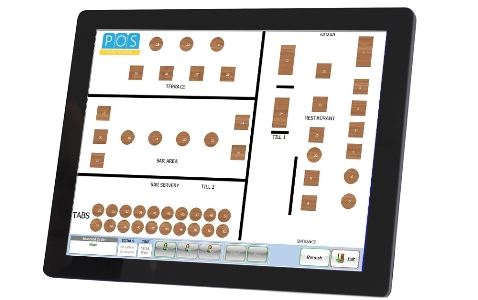
Table Management
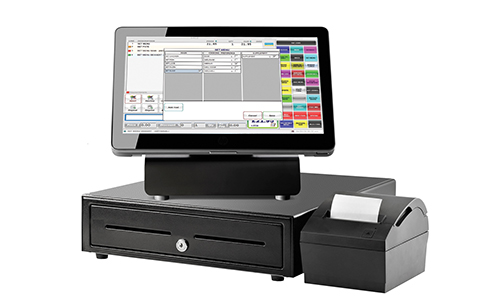
The system enables you to configure table setups for your establishment and scroll between floor plans.
The graphical table view makes it easy for staff to locate their tables and see at a glance where each table is in their journey. This makes for a speedy and professional service.
Don’t worry; we are on hand to help you get set up.
Hospitality Presets
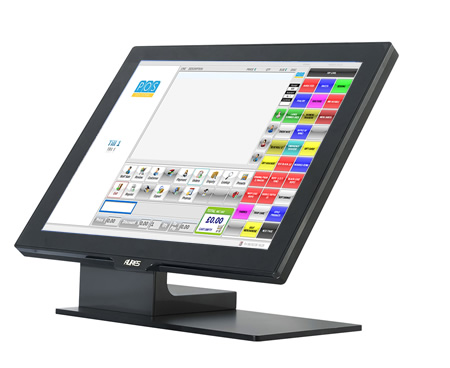
Our Hospitality EPoS System software allows you to easily configure screens of preset products meaning quick navigation of most commonly purchased items.
The preset screen can be colour coded, contain product images and include your company logo.
A superbly popular feature for any hospitality setting.
Mobile Ordering
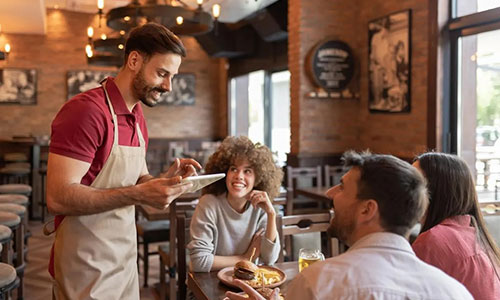
Our solution allows you to take food and drink orders at the customer’s table.
Every order can be viewed on every EPoS device across the system and if amendments are made they are updated in real time across all devices.
Mobile ordering is a useful feature which eradicates handwritten orders being misinterpreted.
“POS provided us with a system that would do everything we asked of it, and could handle a busy atmosphere. Being able to easily manage changes to menus, sometimes at short notice, has been incredibly useful. We also wanted to work with a company who were relatively local, flexible, and staffed by humans! When you call, you get through to the team themselves and not a call centre or recorded message, which we all appreciate.”
Bill Splitting
The XSELL EPoS solution comes with bill splitting capabilities as standard. Follow the intuitive screen to select the items a customer wishes to pay for.
The remaining items can then be split further or paid off in full.
If you just want to split the bill equally between 2, 3 or 4 people, you can do that too at the click of a button.
Other Features
Printer specification – configure products to specific printers, so that drinks print to the bar and food items print to the kitchen when orders are placed.
Notes – quickly add notes to orders (useful if the customer has advised of any allergies).
Quick Layaways – allows each staff member to quickly layaway uncompleted orders to free up the till for other orders.
Set menus – easy set up of set menu options with modifiers and supplement options. Simple set up of meal deal combinations.
Want to know more?
To find out more, why not book a free, no-obligation Hospitality System Demo